Platform
ABI filing software, from the ISF to liquidation.
MyCargoLens takes a shipment from ISF-10 or ISF-5 to entry summary and cargo release, then tracks the entry until it liquidates. One inbox ranks the open work across all of it.
ISF filed
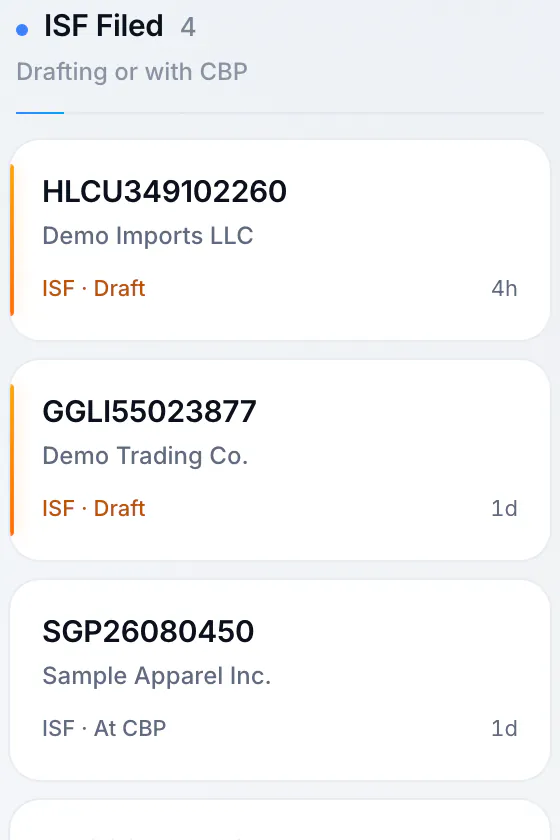
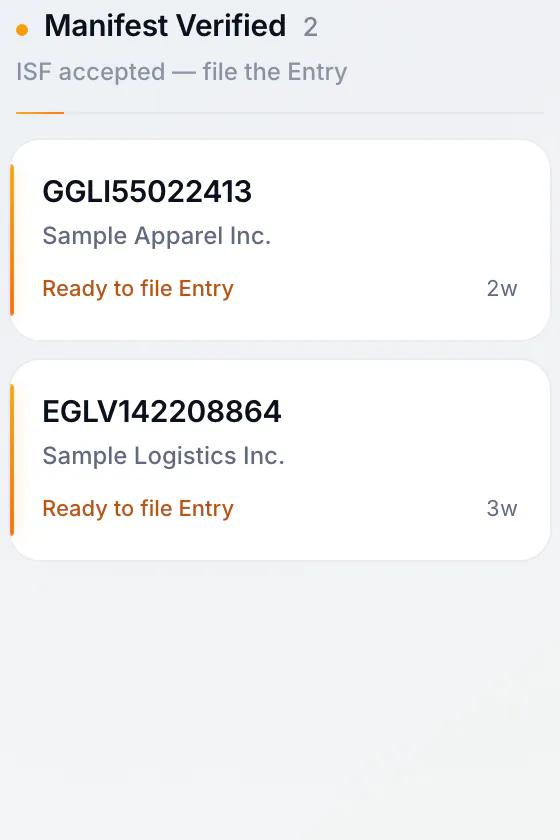
Manifest verified
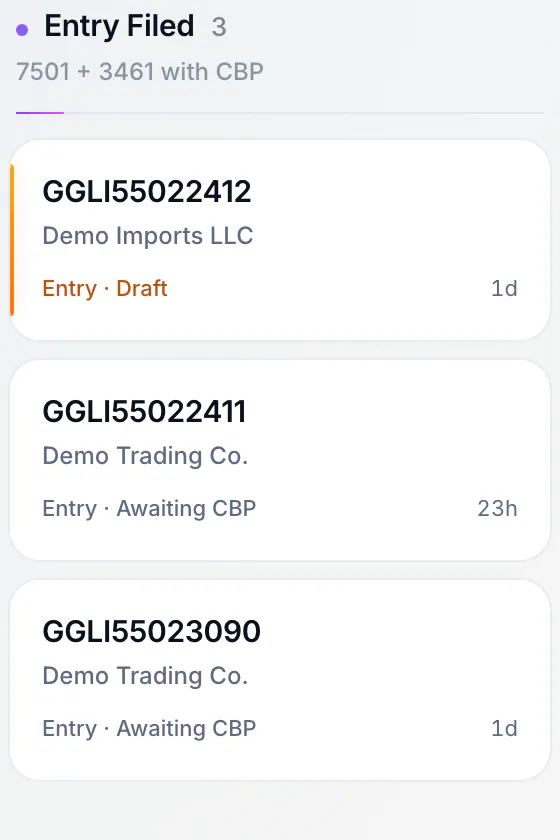
Entry filed
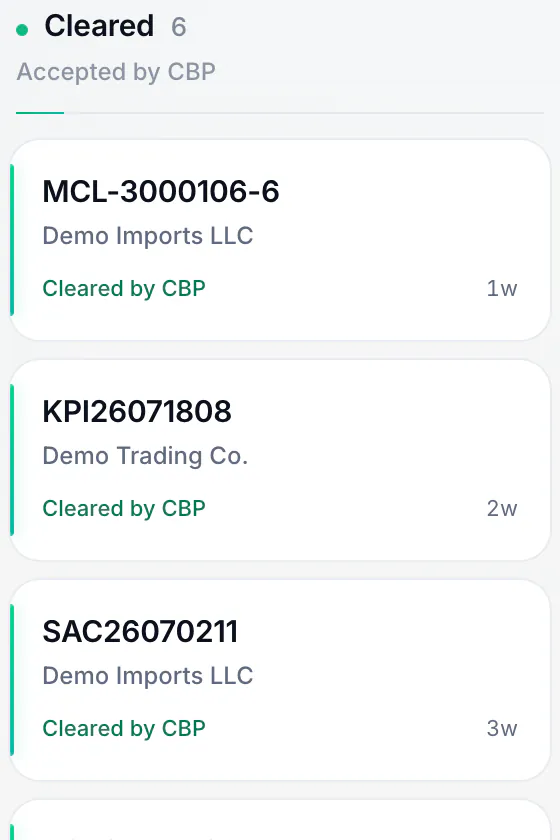
Cleared by CBP

The flow
How a shipment moves through MyCargoLens
- 1
Start from what you filed last time
Reuse saved parties, ports, HTS codes and bond details from a template, or clone any past filing. Group house bills under one master for a consolidation, and submit up to 20 drafts at once. When the ISF is accepted, the entry starts prefilled from it with the bond carried over.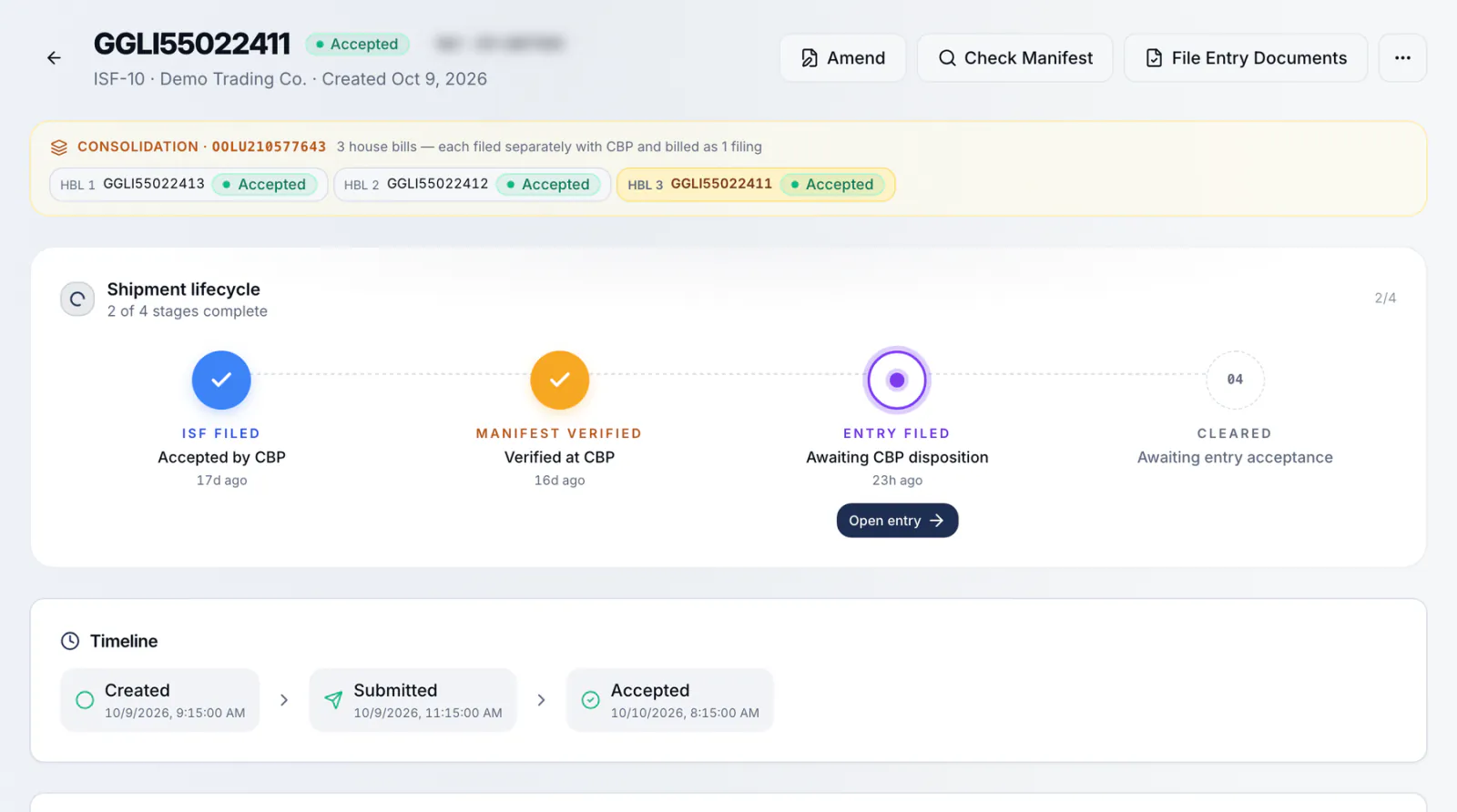
- 2
Checked before it goes
Every draft passes rule-based checks before you can submit. You can also run an AI review on any draft. If CBP rejects a filing, you get the error in plain English with numbered fix steps.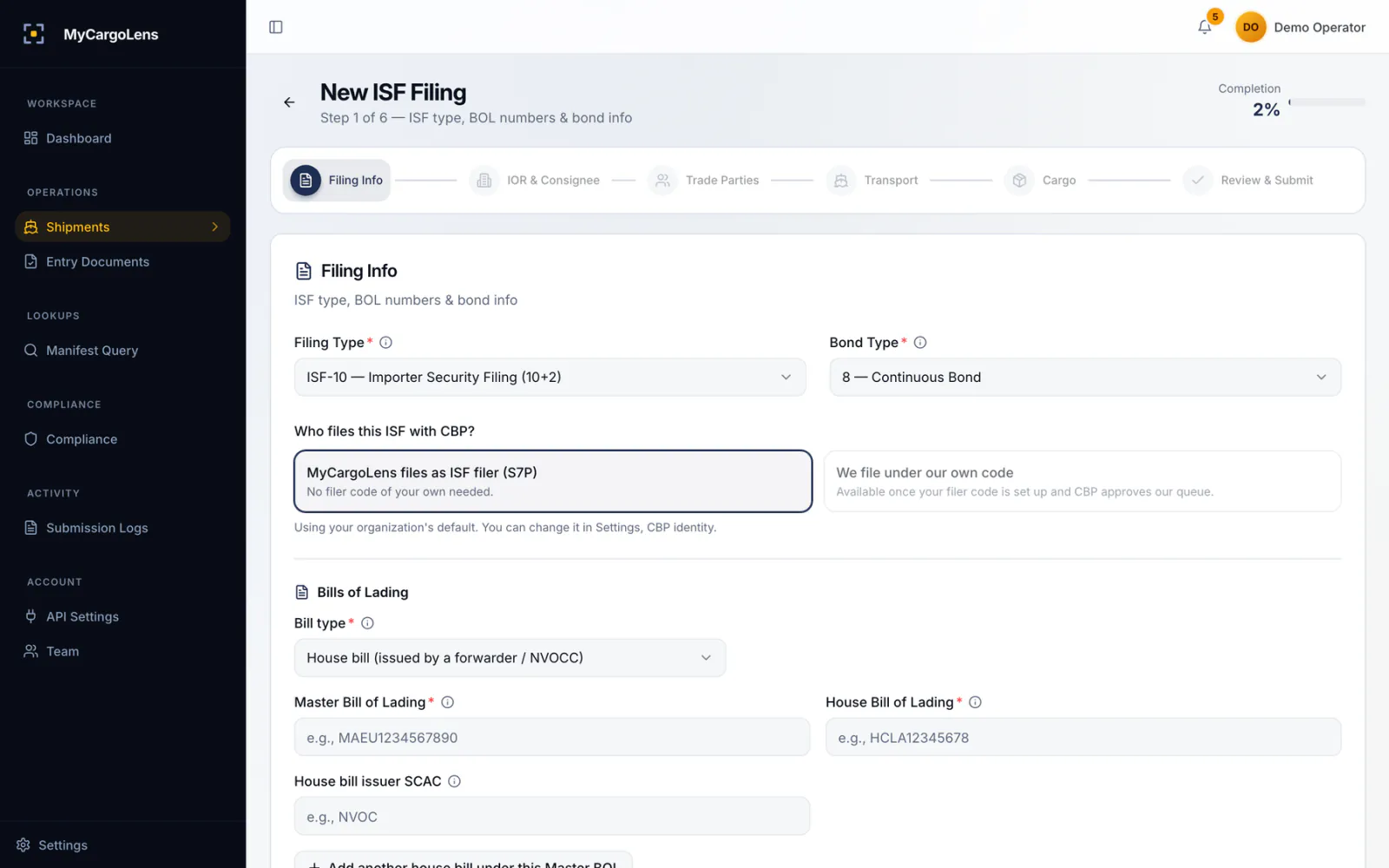
- 3
Filed with CBP
MyCargoLens files ISF-10, ISF-5, entry summaries (7501) and cargo release (3461) with CBP, and every request and response is logged.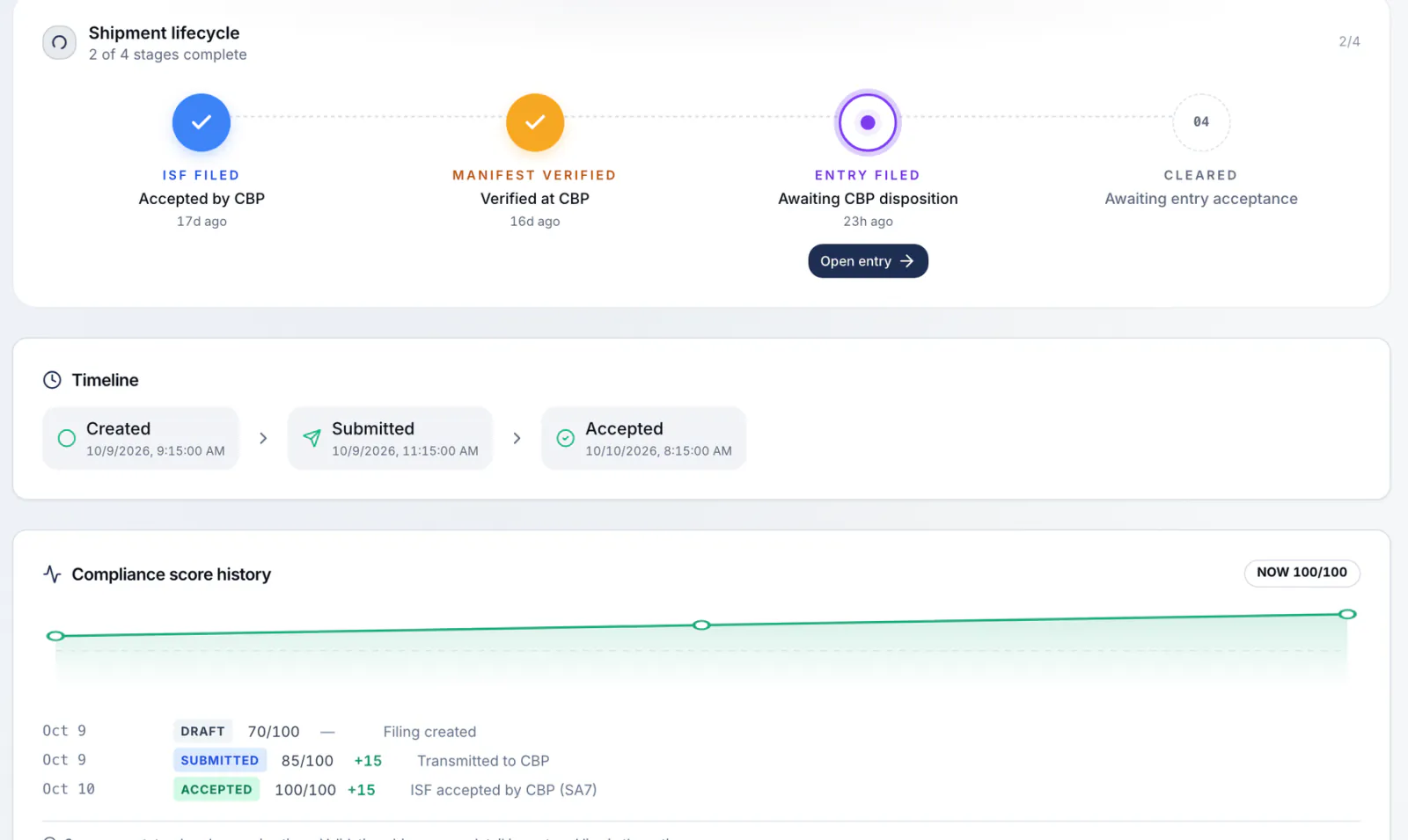
- 4
Tracked until it's closed
Each ISF carries its deadline clock, and each accepted entry carries its 314-day liquidation window. The post-summary correction deadline is marked at day 300 after entry, CBP's regular PSC window. Container tracking with vessel ETAs and last free day is available with customs entry; ask us in the demo.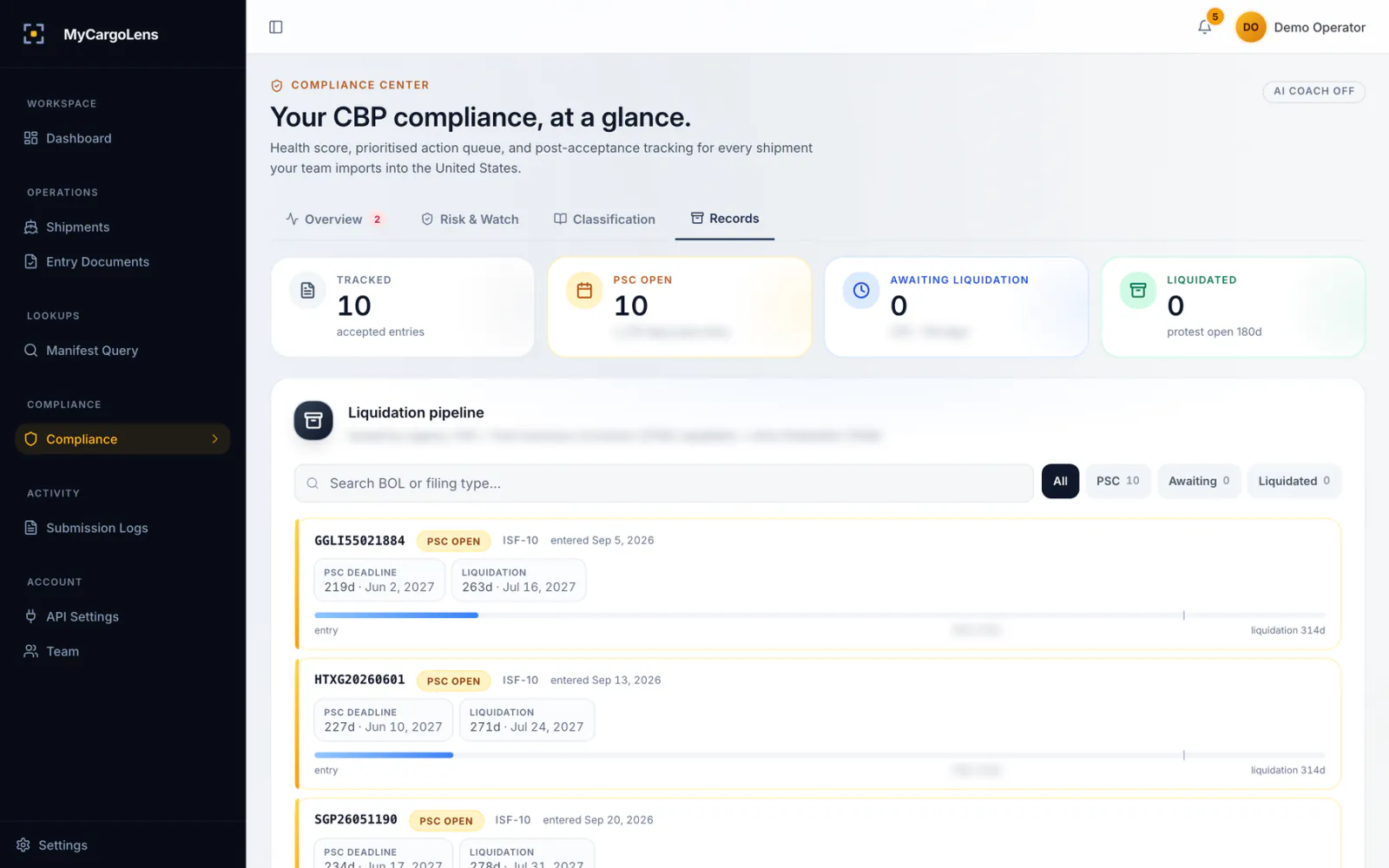
What's inside
Six parts, one record per shipment
Each part has its own page. Start with the job you do most.
File
Stay ahead
The inbox
Open work ranked by urgency, with each CBP response on the filing.How the inbox ranks filingsPre-filing checks
Rule checks on every draft, an AI review when you want one, rejections in plain English.Checks before you submitCompliance
Liquidation and PSC clocks, daily ADD/CVD pulls, UFLPA and PGA flags, HTS suggestions.Compliance after entry
The record
Everything about a shipment on one record
Open any filing and you see its whole life: the ISF, the linked entry, every CBP response and every edit with the name of whoever made it. When a customer or an auditor asks, export the full lifecycle as one PDF, or the audit trail as CSV.
- A linked ISF and entry sit on one shipment record.
- Four roles (Owner, Admin, Operator, Viewer) and MFA on every account.
- Duty calculator with rates, MPF/HMF and a total from HTS reference data, on request.
What you can file today
Available
- ISF-10 (10+2)
- ISF-5 (FROB)
- Entry summary (7501)
- Cargo release (3461)
- Manifest (MBOL) query
Not available today
- In-bond (7512)
- FTZ
- Drawback
- AES
- ISF bonds
HTS codes are suggestions with reasoning. Classification decisions stay with you or your broker.
MyCargoLens is software. We are not a licensed customs broker.
ISF is $45, charged when CBP accepts
Importers pay $45 per accepted ISF, with no monthly fee. For customs entry, talk to us. NVOCCs, forwarders and brokers filing at volume get volume pricing on request.
Questions about the platform
No. You can start with one lane, or with your ISFs only, and add entries later. Your other tools keep running while you try it.
No. Rule checks run on every draft, and an AI review runs only when you ask for one. It points out problems and suggests HTS codes with its reasoning. Your team decides and submits.
Yes. The public REST API takes JSON or XML for ISFs and entries, with scoped, revocable keys and HMAC-signed status webhooks. Ask about API access on your demo.
ISF-10, ISF-5, entry summaries (7501), cargo release (3461) and manifest queries. In-bond, FTZ, drawback and AES aren't available today.
Four roles: Owner, Admin, Operator and Viewer. Invites are email-verified, every account has MFA, and every change lands in an audit trail you can export to CSV.
Book a demo
Watch one shipment go from ISF to entry in 20 minutes.
We'll run a sample ISF and entry in a demo account on shipments like yours, then tell you what it would cost.
ISF is $45, charged only when CBP accepts.