Customs entry
Customs entry software that starts from your accepted ISF
File entry summaries (7501) and cargo release (3461) with CBP. The entry opens with the ISF's parties and bond already filled in, gets checked before it goes, and stays on a clock until it liquidates.
Bring your last rejection and we'll walk through it.

What you file
Entry summary (7501) and cargo release (3461)
Entry summary, CBP Form 7501
Lines, HTS codes, values, duties and fees, under your importer of record number and bond.
Cargo release, CBP Form 3461
Ask CBP to release the goods, then file the summary.
In-bond (7512) isn't available yet. FTZ, drawback and AES aren't part of MyCargoLens.
Less retyping
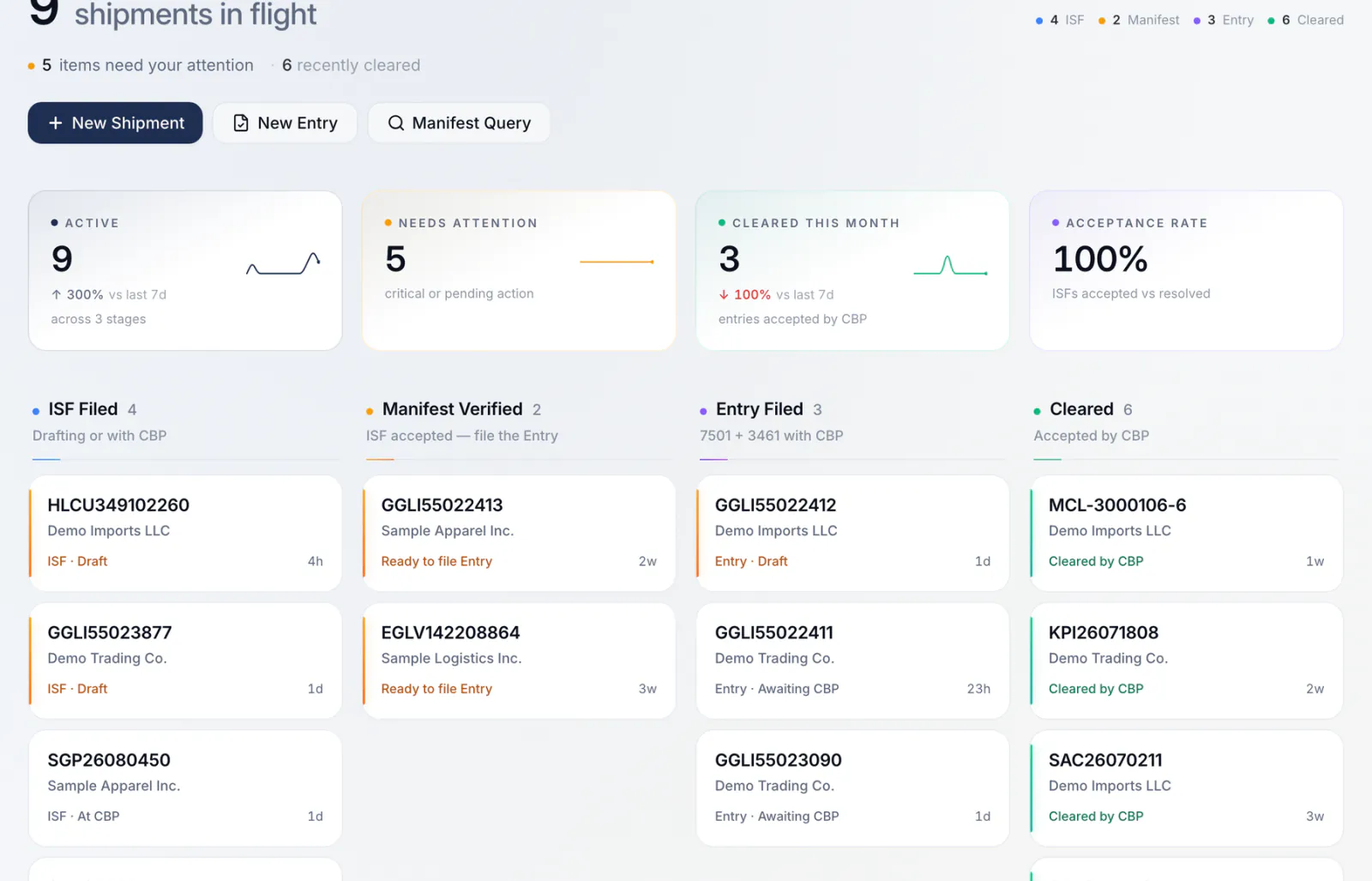
Start the entry from the ISF, not from a blank form
The ISF already holds the parties, the importer of record number and the bond. Create the entry from the accepted ISF and those carry over. You add what the entry needs on top: lines, values and the entry type.
The ISF and the entry stay linked, so anyone opening one can see the other and its full history.
Before CBP sees it
Checked before you send, explained if CBP says no
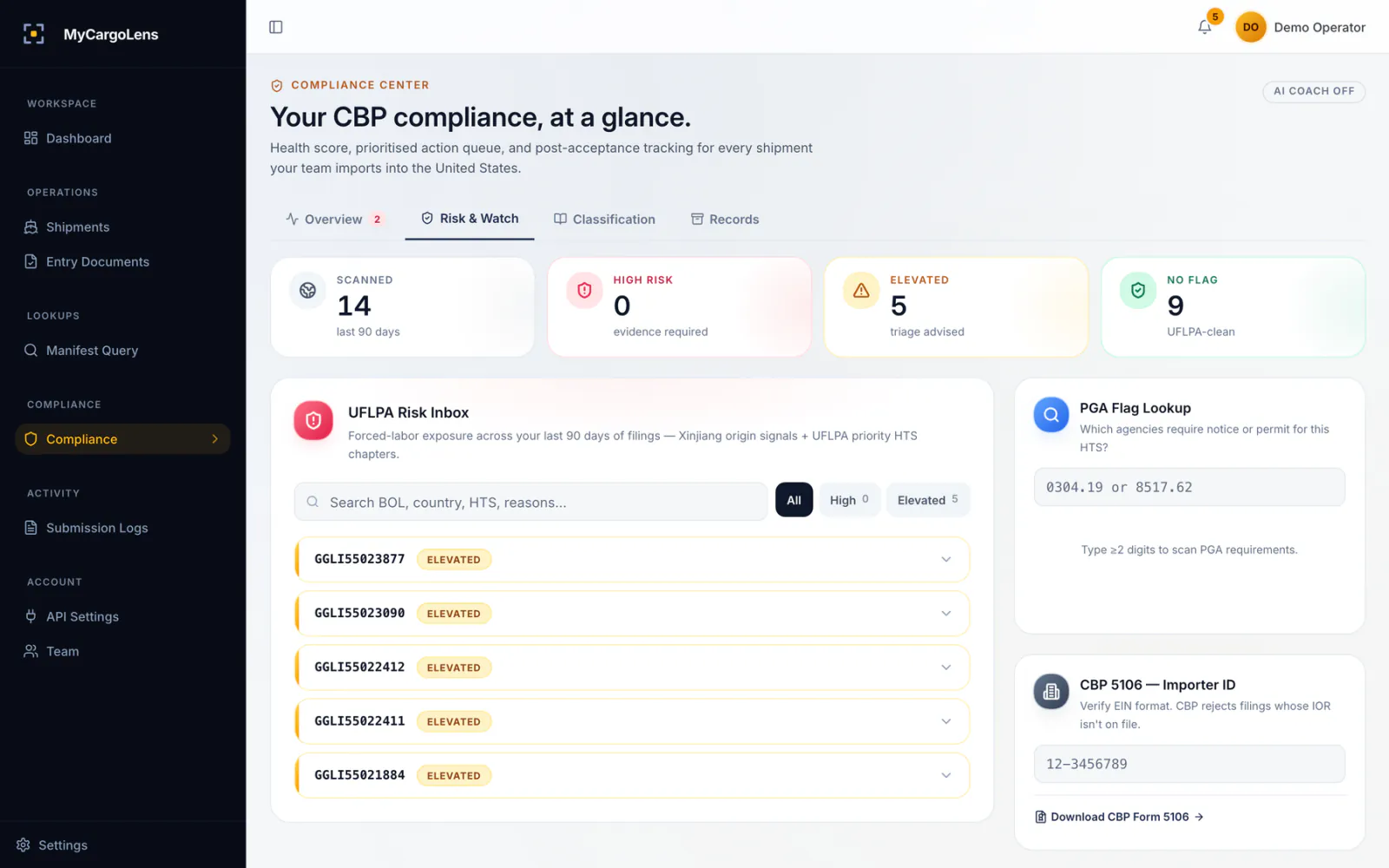
Every entry draft passes rule checks before it can be sent, and you can ask for an AI review of the draft as well. If CBP rejects it, you get the error in plain English with numbered steps to fix it.
While you build the entry, MyCargoLens flags HTS codes that may fall under an ADD/CVD order, lines with possible UFLPA exposure, and the agencies (FDA, USDA-APHIS, EPA, FCC) that may want their own data for a code.
We flag and explain. You or your broker decide.
HTS and duty
Suggestions for the HTS code, and the duty before you file
Describe the goods and get a suggested HTS code with alternatives and the reasoning behind each. Your team or broker picks the code. The duty calculator shows the rate, MPF, HMF and total for a line from HTS reference data.
Suggestions, not rulings. We don't publish an accuracy figure.
HTS suggestions are on every plan. The duty calculator is available with customs entry; ask us in the demo.
After entry
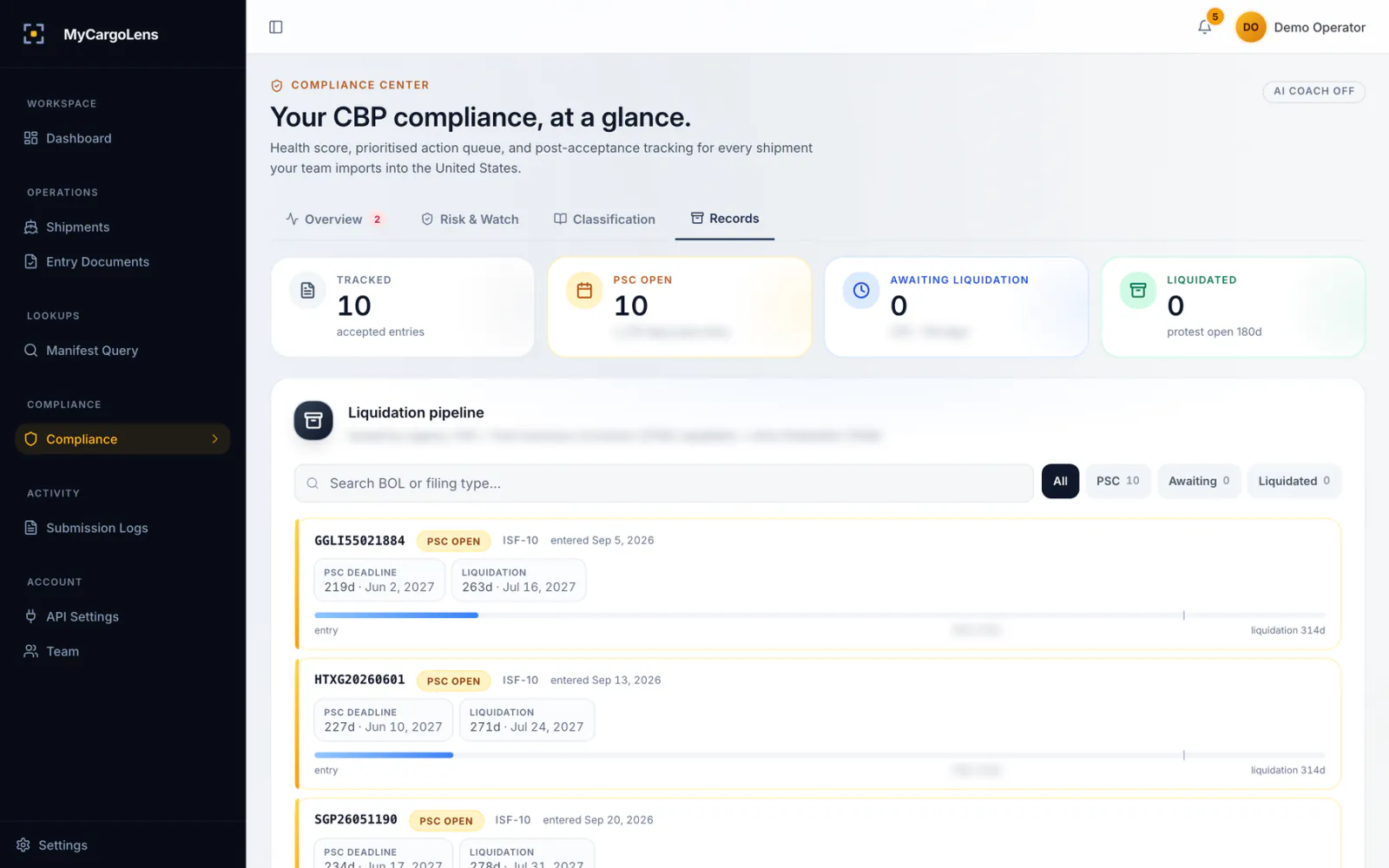
Every entry stays on a clock until it liquidates
CBP usually liquidates an entry about 314 days after entry. Until then you can fix it with a post-summary correction, inside CBP's regular 300-day window from the date of entry. MyCargoLens tracks each accepted entry through that window and puts the PSC deadline in the inbox before it closes. After liquidation, the 180-day protest window gets its own date.
Price
Customs entry is priced on a call
Tell us how many entries you file and how you file them today, and we'll go through the price with you in the demo. The ISF on the same shipment is $45, charged only when CBP accepts.
Filing entries for clients at volume? Volume pricing is on request.
Customs entry
Talk to us
Priced on a call
- Entry summary (7501) and cargo release (3461)
- Linked to the accepted ISF on one shipment
- Container tracking and the duty calculator: ask us
Questions about filing entries
The 3461 asks CBP to release the cargo. The 7501 entry summary declares the classification, value and duties. MyCargoLens files both.
Yes. Starting from an accepted ISF saves retyping, but you can create an entry on its own.
It depends on how you file today. Ask us on the demo and we'll tell you what you need on day one.
Not yet. Today we file ISF-10, ISF-5, entry summaries (7501) and cargo release (3461).
It suggests HTS codes with alternatives and reasoning. Your team or your broker decides. Suggestions are not rulings.
The importer of record, whoever transmits it. That's why you want to see and check every entry first.
MyCargoLens does, once you submit it. CBP's response shows on the entry.
Book a demo
See an entry built from your own ISF
Book a 20-minute demo. We'll file a sample ISF and entry in a demo account, on shipments like yours.