The inbox
Customs filing tracking, ranked by what needs you now
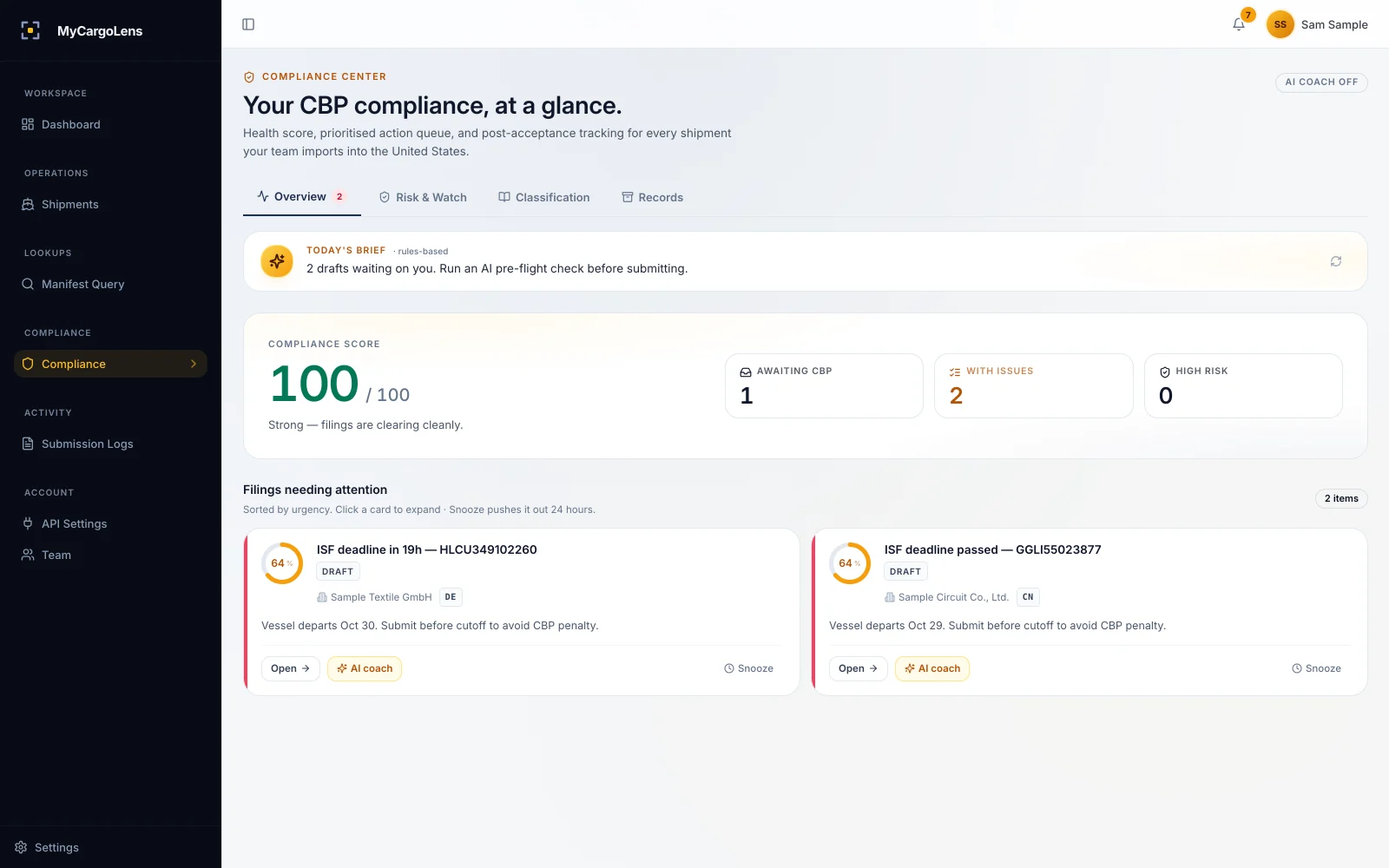
An inbox for US customs, not another dashboard. Every open ISF, entry and liquidation in one list, with the most urgent at the top.

What rises to the top
Seven kinds of work, sorted for you
You don't build the list. MyCargoLens fills it from your filings and sorts it by severity, then by time.
- ISF deadlines. Filings getting close to 24 hours before lading. How ISF filing works
- Rejections. Anything CBP rejected, with the fix steps one click away.
- Possible UFLPA exposure.High-risk filings, flagged before or while they're in flight.
- PSC deadlines. Entries whose 300-day post-summary correction window is closing.
- Liquidation coming up. Entries within 14 days of estimated liquidation.
- The same error, three times. When three or more recent rejections share one cause, you see it once, with every affected filing.
- Drafts to review. Drafts that still need work before they can go.
Daily brief
A one-line brief, generated daily
Open the inbox and the top line tells you what changed and what's due today. Not your problem yet? Snooze it and it comes back later.
Behind the list
Four jobs keep the list current while you work
72 · 48 · 24h
ISF deadline alerts
Alerts at 72, 48 and 24 hours before each ISF deadline, one at a time.Per filing
CBP responses
Each CBP response lands on its filing and in the list: accepted, rejected or still waiting.314 days
Entries to liquidation
Accepted entries stay on the list until they liquidate, with the 300-day PSC deadline marked.Daily
New ADD/CVD orders
Pulled from the Federal Register daily and reviewed before they're used in flags.
The record
Open any item and see its whole history
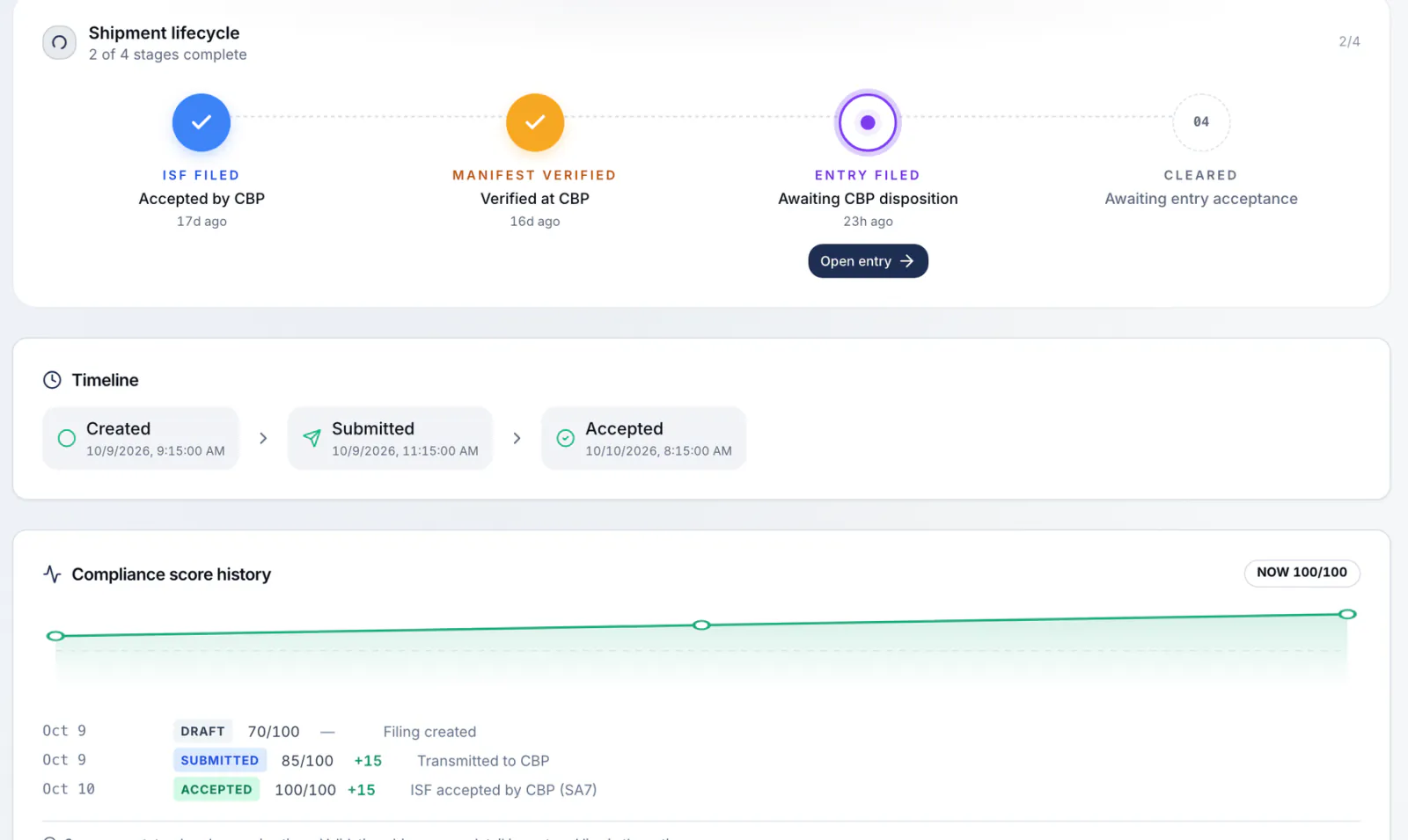
Every filing has a timeline: who created it, what changed, what was sent to CBP and what came back. The ISF and its entry are linked. Export the whole thing as one PDF when someone asks.
Every CBP request and response is logged. Edits show the before and after. The audit trail exports to CSV, and four roles (Owner, Admin, Operator, Viewer) control who can do what.
Tracking, on request
Vessel ETAs and last free day next to the filing
Tracked containers show vessel ETAs, port arrival and the last free day, so the filing and the box sit in the same place. It's available with customs entry; ask us in the demo.
Webhooks
Send status changes to your own systems
The status changes that move the inbox can also go to your TMS: signed webhooks for filing.* and entry.* events.
Questions about the inbox
Each item gets a severity (critical, high, medium or low) from what it is: a rejection or a passed deadline ranks above a draft to review. Within the same severity, newer items come first.
At 72, 48 and 24 hours before the ISF deadline, which is 24 hours before lading.
On the filing and in the inbox: accepted, rejected or still waiting. A rejection comes back with the error in plain English.
Yes. Accepted entries stay tracked through liquidation, with the PSC deadline and the protest window. See compliance.
Yes: one PDF per filing, and the audit trail as CSV.
No software can promise that. The inbox puts the deadline and the problem in front of your team early, ranked by urgency.
Book a demo
See your own filings ranked
Book a 20-minute demo. We'll load shipments like yours into a demo account and show you what the inbox would put first.